| Screen Map |
Main Flying Screens
     .
      \
       .
        \
...................

GO & any other key
    for ½ sec.
          |
        ...

     Configure
  ....X...........

       Polar
    ...........

     Calibrate
  ..............
|
X = Current Screen
. = Demo Screens
|
|
|
Altitude Required or Altitude Difference
|
| Select: |
 |
• |
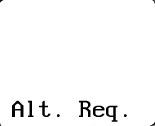
[Alt. Req.] or [Alt. Diff.]: This selects the
variable shown in the altitude field just above the alphanumeric label field for the Main
Flying Screen, the Vector Wind Glide Screen and the HW / TW Glide Screen. Alt. Req.
is the Altitude Required to reach the goal point. The annunciator is Alt
----- Req. Alt. Diff. is Pressure Altitude - Altitude Required. The
annunciator is Alt ----- . |
|
|
• |
Press UP or DOWN to select the desired option. |
|
• |
Press LEFT or RIGHT to view other screens. |
|
• |
Press GO to save changes and return to the flying screen you were in before entering
configure mode. |
|
|