| Screen Map |
Main Flying Screens
     .
      \
       .
        \
...................

GO & any other key
    for ½ sec.
          |
        ...

     Configure
  ................

       Polar
    X..........

     Calibrate
  ..............
|
X = Current Screen
. = Demo Screens
|
|
|
Number of Spans
|
| Select: |
 |
• |
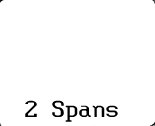
[1 Span] or [2 Spans]. Two seperate polars can
be entered. Typically, this is used for 15/18 meter span gliders. If you
select [2 Spans], the first Configure screen lets you select the
correct polar for the glider's configuration (Short Wing or Long Wing). |
|
|
• |
Press UP or DOWN to select the desired option. |
|
• |
Press LEFT or RIGHT to view other screens. |
|
• |
Press GO to save changes and go to the ON / Altimeter screen. |
|
|